Install the OBS Signal plugin
Connectors · 2 min read ·
Signal is a Roadie dock inside OBS. Install the plugin, sign in, turn on Share OBS state with Roadie, and Roadie sees your scene and whether you are live or recording.
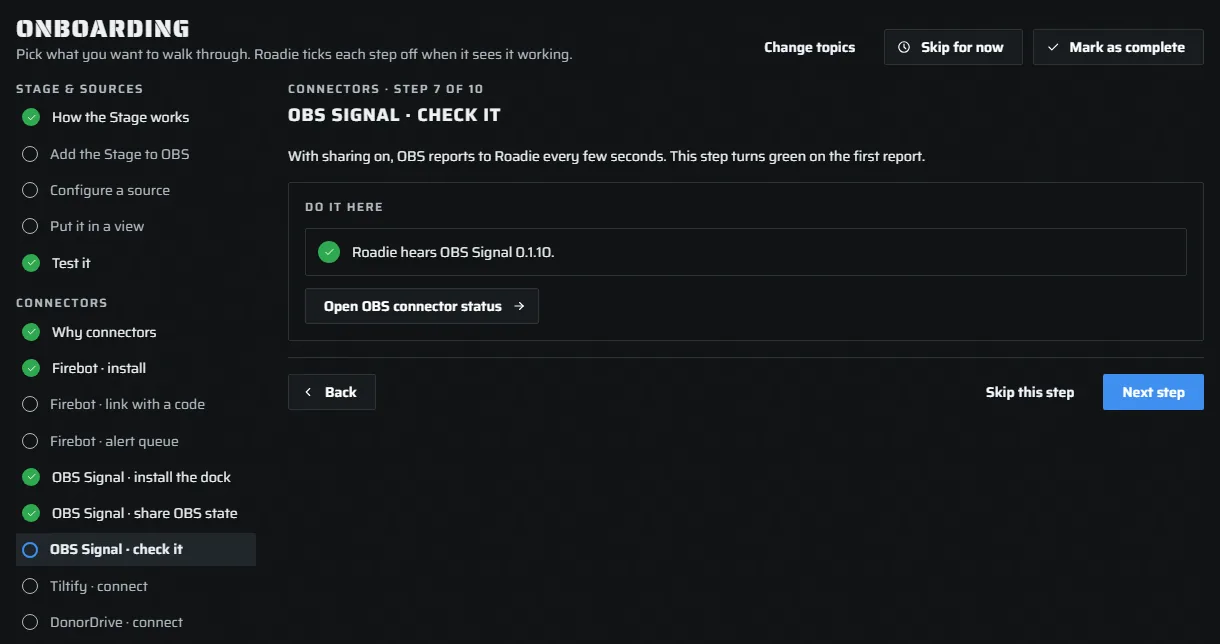
Signal is a Roadie dock inside OBS. It is a plugin, not a browser source: install it once and it opens from OBS's Docks menu, beside your scenes. With sharing on, it tells Roadie your current scene and when you go live or record, for the Stage and for your recaps.
The plugin is still in testing. Test builds run on Windows x64 with OBS 30 or later. If OBS misbehaves, remove the plugin: everything else in Roadie works without it. On a Mac or Linux, see Using Roadie in OBS without the plugin.
The Onboarding guide walks you through these three steps when you tick the OBS Signal plugin.
Install the dock
- Press Download in the guide to get the latest test build.
- Close OBS. Follow the package's instructions to put
roadie-signal.dllin your OBS installation'sobs-plugins/64bitfolder. - Reopen OBS and choose Docks › Roadie Signal.
To uninstall, close OBS and remove roadie-signal.dll.
Share OBS state
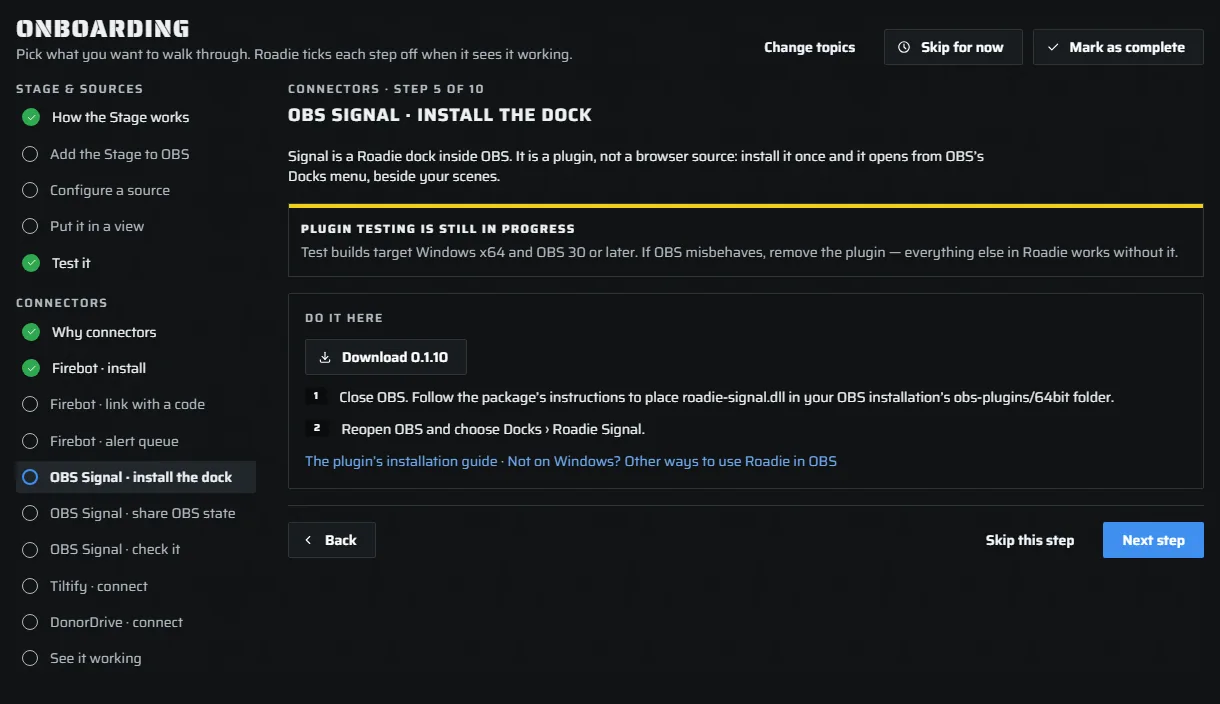
Signal shows your stream's events to anyone signed in to it. Sharing OBS's state is the owner's choice:
- In the Roadie Signal dock, sign in to Roadie as yourself.
- Open Signal's gear and turn on Share OBS state with Roadie.
OBS WebSocket is not needed.
Check it
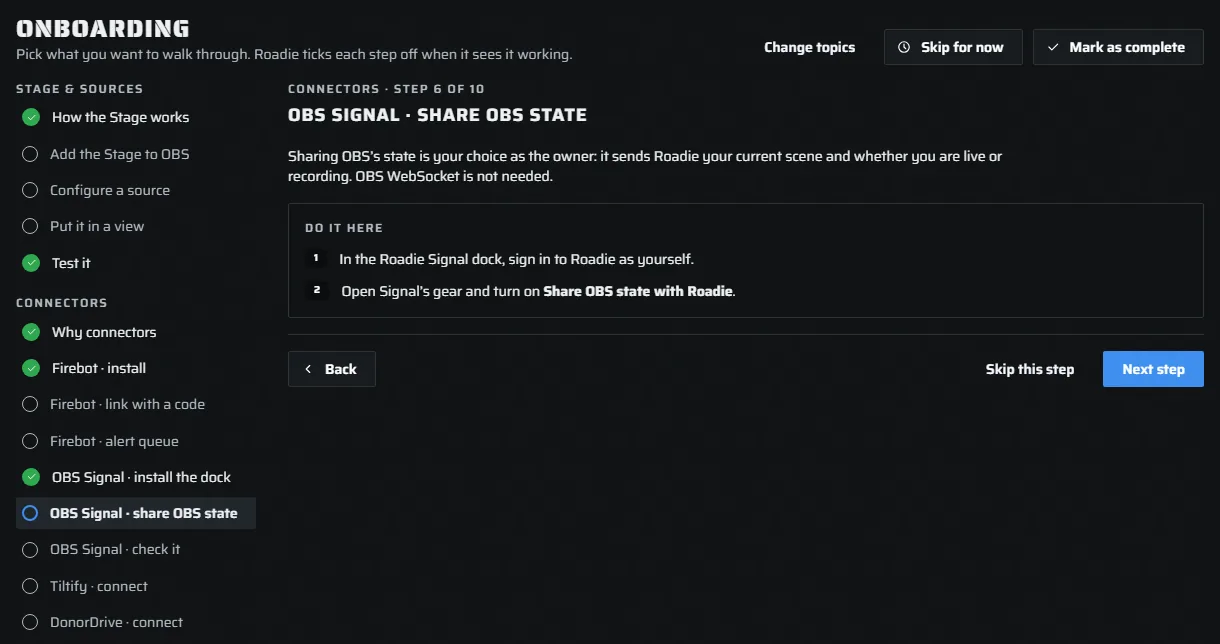
With sharing on, OBS reports to Roadie every few seconds. The guide's last Signal step turns green on the first report and names the plugin version. If a newer plugin is out, the step says so: close OBS, replace the file and reopen it.
OBS connector shows the live connection, your scene, streaming and recording, and the last 50 changes.