Connect Firebot
Connectors · 3 min read ·
Install Roadie's Firebot connector, link it with the code Firebot shows, and put Roadie in your alert queue, so nothing Roadie shows plays over your alerts.
The Roadie connector is a small add-on Firebot runs. Once it is linked:
- Everything Roadie puts on stream (clips, alerts, trivia, polls) takes its turn in your Firebot alert queue, so nothing plays over a bit redeem.
- An OBS scene change in Firebot switches the Stage to the view you matched to it.
- Each stream keeps a history of what played.
Roadie never changes your Firebot commands or events. The Onboarding guide walks you through these steps when you tick Firebot; they are also on Connectors › Firebot.
Install
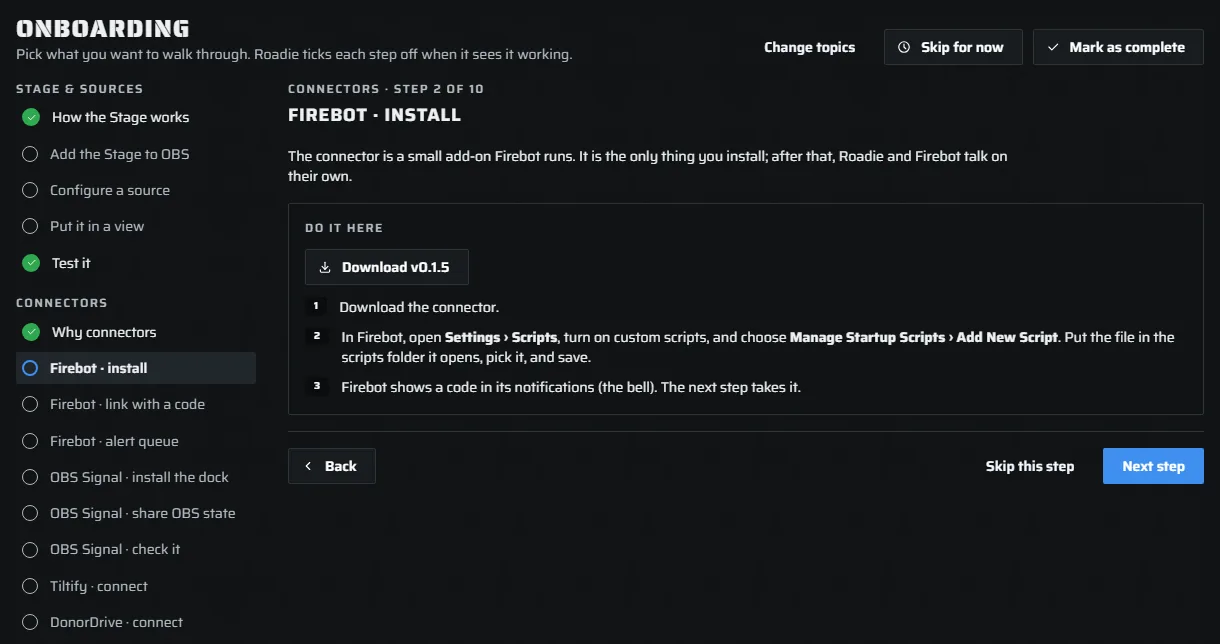
- Press Download in the guide (or on Connectors › Firebot) to get the connector file.
- In Firebot, open Settings › Scripts and turn on custom scripts.
- Choose Manage Startup Scripts › Add New Script. Put the file in the scripts folder it opens, pick it, and save.
Link with a code
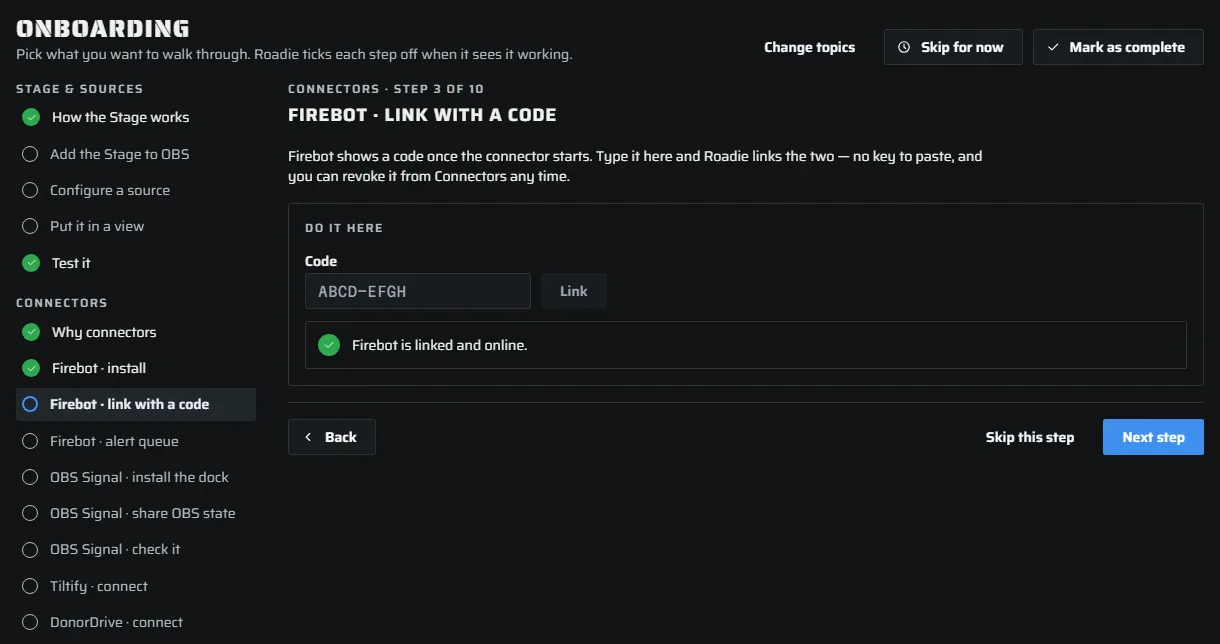
Once the connector starts, Firebot shows a code in its notifications (the bell). In the guide, type the code in Code and press Link. No key to paste, no password: you can revoke the link from Connectors any time.
The step turns green when Roadie sees Firebot linked. If the code came from Streamer.bot instead, the guide says so and links that one; enter the code Firebot shows.
The alert queue
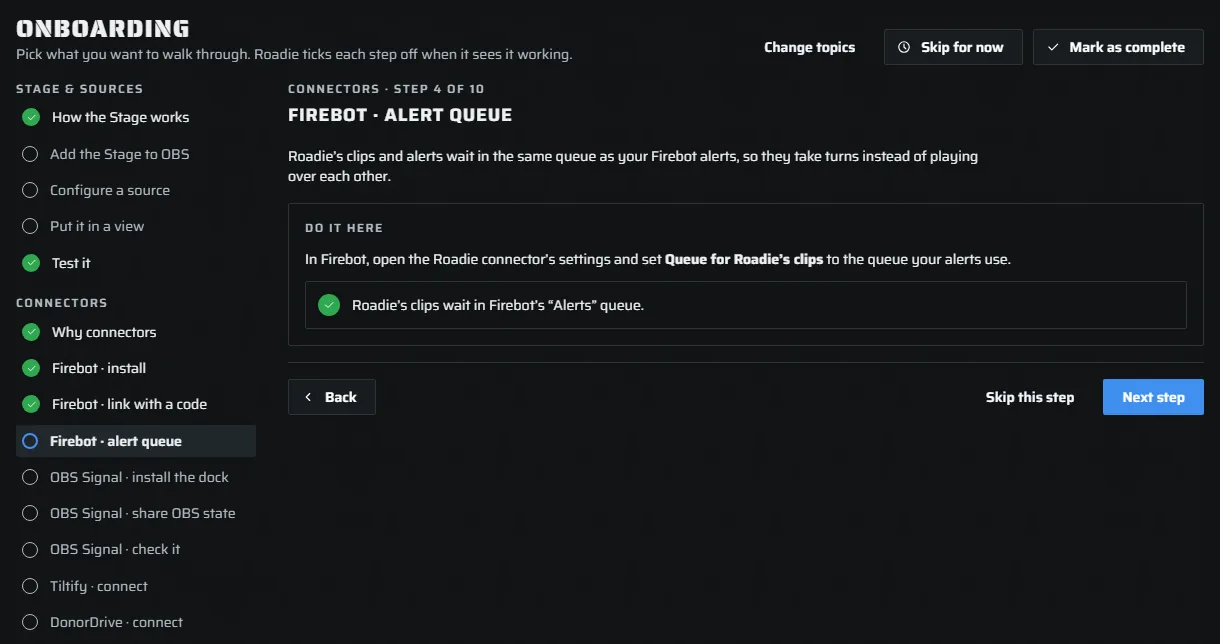
So Roadie takes turns with your alerts instead of playing over them, open the Roadie connector's settings in Firebot and set Queue for Roadie's clips to the queue your alerts use. Firebot reports the queue back, and the step turns green with its name.
If you run Streamer.bot too, only one bot can hold Roadie's queue. See Two bots.
See it working
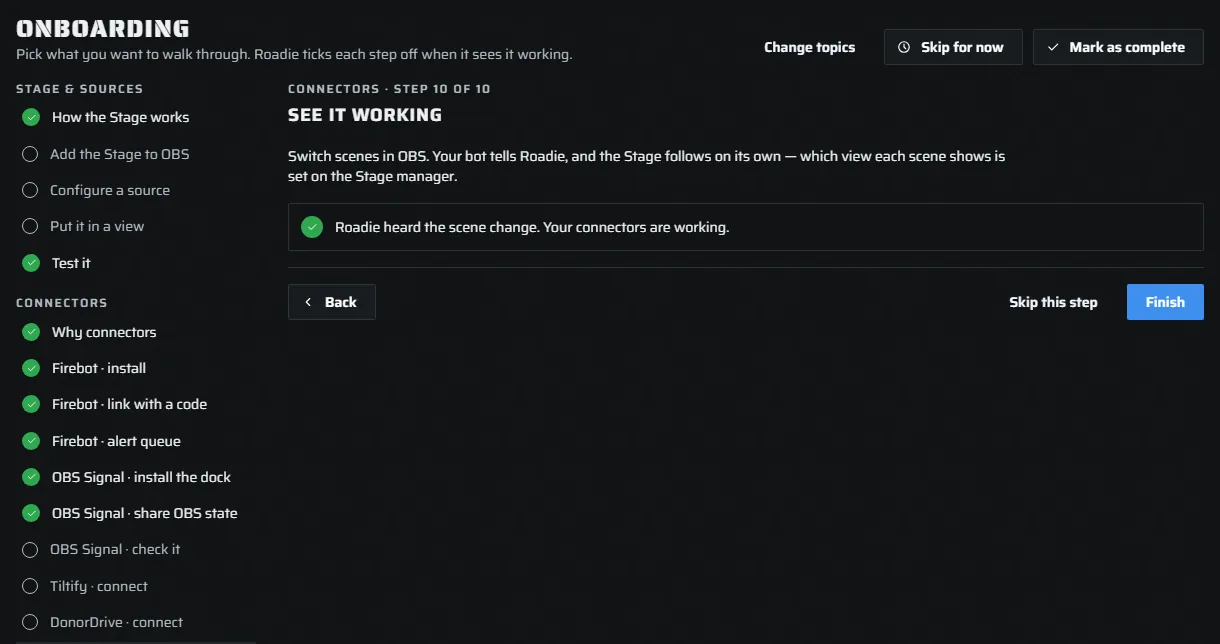
Switch scenes in OBS. Firebot tells Roadie, and the Stage follows on its own. Which view each scene shows is set on the Stage manager. The step turns green on the first scene change Roadie hears.
Two bots
Using Firebot and Streamer.bot together is fine: both link, and both can switch the Stage. Roadie's queue runs in one of them, and you choose which. Roadie never picks for you. The guide asks when you tick both; the choice is also on Connectors. The other bot stays linked and holds no Roadie queue: in Firebot, leave Queue for Roadie's clips empty.
Ad breaks
You don't need a connector for ad breaks. Roadie holds what it shows during an ad, straight from Twitch.