Connect Fourthwall
Connectors · 6 min read ·
Connect your Fourthwall shop and merch gifted to chat takes over your stream, Fourthwall's gift draw gets a countdown, and your recap credits who gifted and who won.
Roadie's Fourthwall app turns your merch into part of the show. Once your shop is connected:
- Merch gifted to chat takes over your stream: who gifted it in big letters, what they gifted, its picture, and your hype song.
- Fourthwall's gift draw gets a countdown, so chat knows how to enter and how long is left.
- Each stream's recap credits who gifted and who won, on the recap page and in its Discord post.
- A merch highlight shows one of your collections on stream, on a timer or when chat types
!merch. - A merch goal fills a bar on stream as your merch sells.
Money is never shown on stream, in your feed or in your recap. Roadie never reads your tips or memberships.
Connect
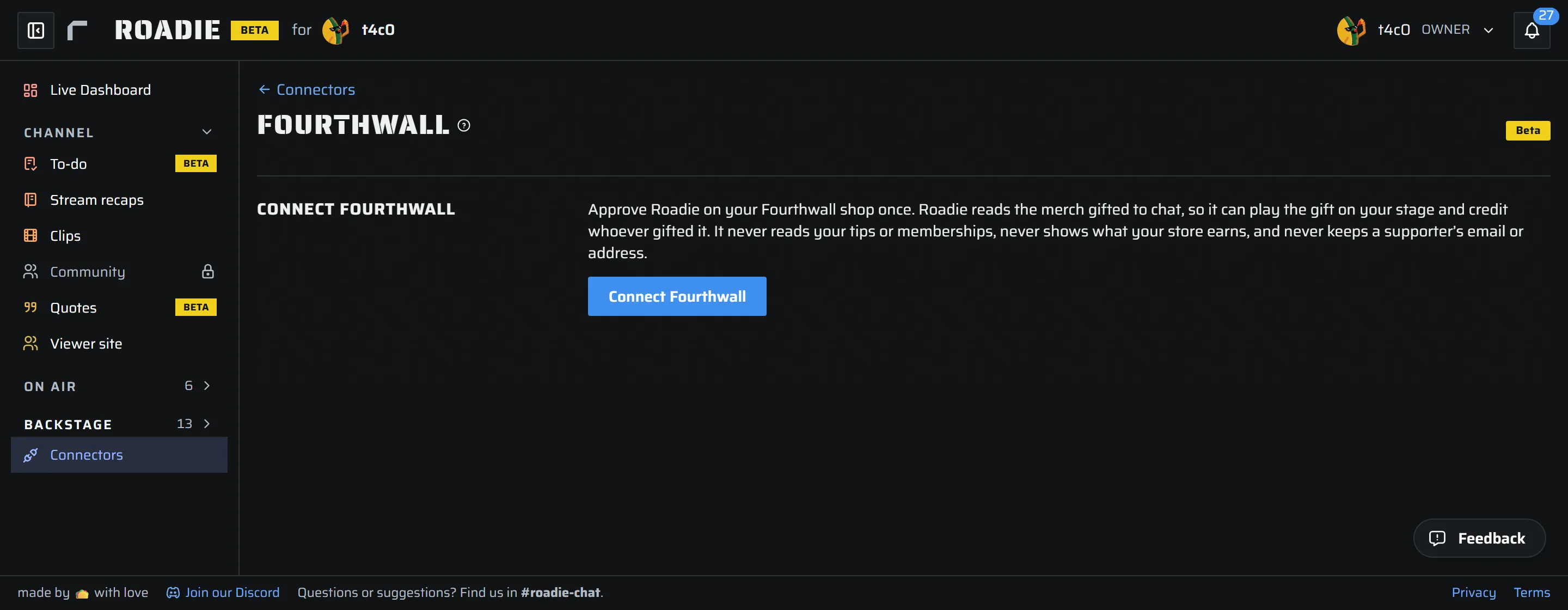
- Open Connectors › Fourthwall and press Connect Fourthwall. Only the channel owner can connect it.
- Fourthwall opens its own approve screen for your shop. Approve Roadie.
- You land back on the Fourthwall page with Fourthwall connected and your shop's name.
Roadie reads only what happens after you connect. Nothing from before is read in. One shop connects to one Roadie channel.
Live updates on means gifts arrive within seconds. If Fourthwall did not accept Roadie's live updates, the page says so, and gifts still arrive through Roadie's regular check: within a minute while you are live, every fifteen minutes otherwise.
The gift moment
When someone gifts merch to chat, your stream shows who gifted it in big letters, what they gifted and its picture, and your hype song plays on your Spotify from its drop. Two gifts close together play one after the other, never on top of each other. A clip that is playing finishes first.
- Play the gift moment turns it on or off. Off, a gift still reaches your feed and your recap.
- How long it holds is 5 to 30 seconds (12 by default). It ends sooner if the song does.
- Test on stage plays the moment with a sample gift, so you can check it in OBS. A test records nothing.
To see it on stream, add Gift moment to a view on the Stage. If your channel runs its alerts in Automation, the gift moment is the Merch gift event there, and the Fourthwall page links to it.
The gift draw
When merch is gifted to chat, Fourthwall runs a draw in your Twitch chat and picks the winners. While the draw is open, the gift moment leaves a card on stream with the item, how to enter, and the time left, with a bar running out. The card goes when the draw ends.
How to enter is the line the card shows. It starts as Type !enter in chat to enter, which matches Fourthwall's own Twitch bot. Change it if your draw uses another command. Roadie only shows the draw: Fourthwall runs it and picks the winners.
Your feed and your recap
Each gift shows up in your feed within seconds. Latest merch gifts on the Fourthwall page lists who gifted, what, and who won. It is the one place a gift's price is shown, and only you and your team see it.
Roadie matches each gifter to a viewer in your chat, so you can thank the person and not just a name. Match gifters runs the match again. Assign or Change who gifted this sets it by hand, and your choice is final.
Each stream's recap has a Merch gifts section: how many items went to chat, each gift, and who won it. The Discord post of the recap carries the same lines, with no amounts.
The merch highlight
Show one of your Fourthwall collections on stream. Pick the Collection (set it up in Fourthwall; sold-out products are left out) and a Store link, or leave the link empty to use your shop's address.
The highlight comes up, and the link goes to chat, three ways:
- On a timer while you are live, with a chat message you write.
- When anyone types
!merchin chat, at most once per cooldown. - When you press Show now.
To see it on stream, add Merch highlight to a view on the Stage, or create a Merch highlight source under Stage sources. How it looks and moves is set there.
Merch goals
A bar on stream that fills as your merch sells. Give it a Headline, a Description, a Starts date and a Goal. What supporters pay for merch from the start date counts, not shipping or tax. One goal is on stage at a time. To see it, add Merch goal to a view on the Stage, or create a Merch goal source under Stage sources.
Settings inside Fourthwall
You can also open Roadie from your Fourthwall admin: click the Roadie app there. It shows the gift moment's settings and a Test on stage button, and links to Roadie for everything else.
What Roadie reads, and what it never keeps
Roadie asks Fourthwall for your shop's name, its merch gifts and orders, its gift draws, and its products and collections, plus the right to set up its own live updates on your shop. It can also read and create discount codes in your shop, for merch prizes Roadie is adding; today it creates none. Orders are never shown anywhere. They are kept only so a channel currency can reward a buyer.
Supporter emails, addresses and phone numbers are removed before anything is stored. So is a winner's redeem link, which only the winner should hold.
Disconnect
Press Disconnect on the Fourthwall page. Roadie removes its live updates from your shop and stops reading gifts. Gifts already recorded stay. Removing the Roadie app in your Fourthwall admin does the same.
Questions? Email help@roadie.gg.