Run a raffle with multiple prizes
Giveaways · 3 min read ·
Set up a prize board, choose how viewers get tickets, open the raffle, and draw each prize separately.
A raffle has several numbered prizes. Viewers put tickets into the prize they want, and each prize has its own entrant pool and draw. For one prize (or several copies of the same prize), use a giveaway instead.
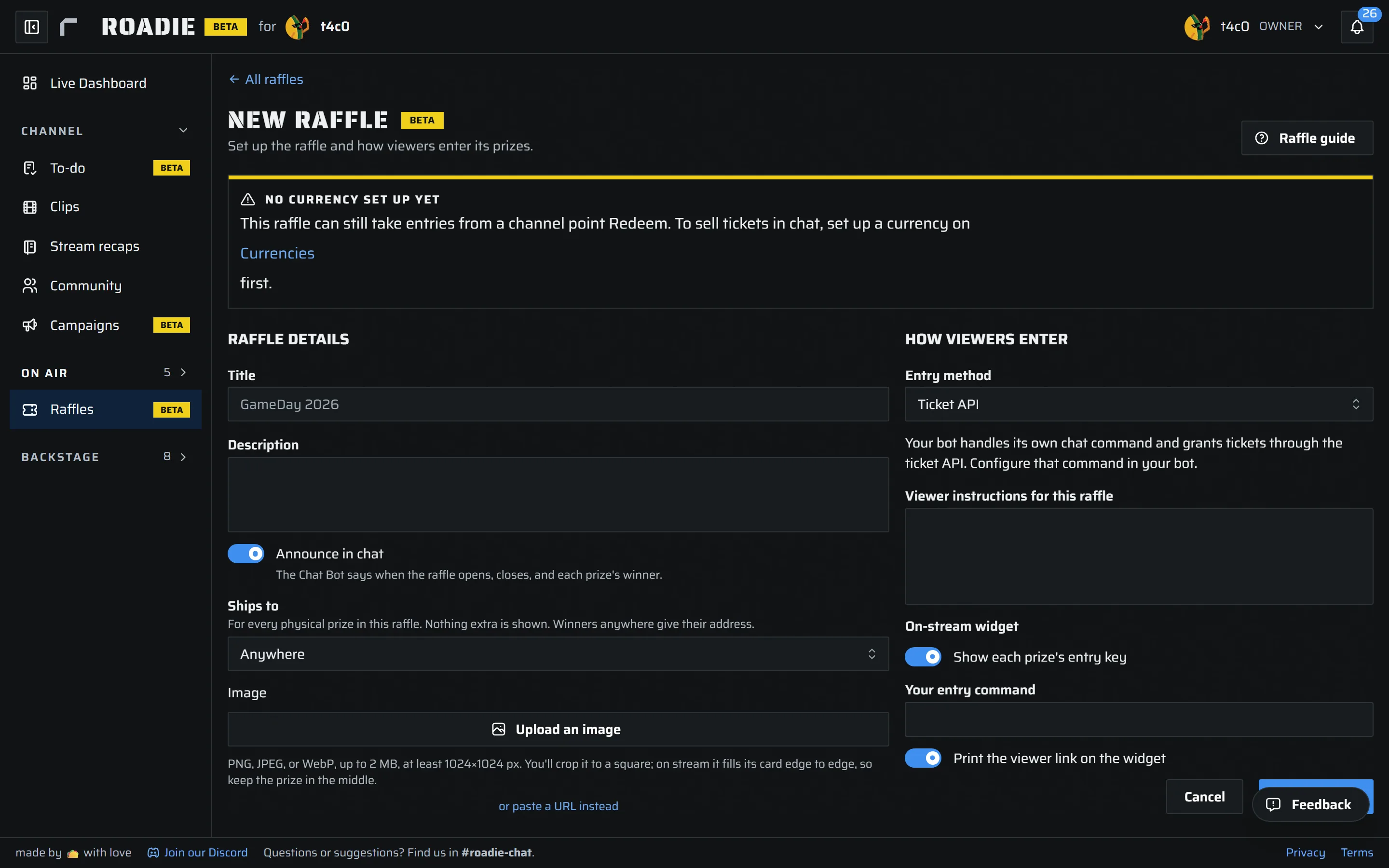
Set up the prize board
- Open Raffles and select New raffle. Give it a title and, if useful, a description and image. Under How viewers enter, choose one entry method for the whole raffle and add viewer instructions. Save the raffle; it starts as a draft.
- Open the raffle and select Add prize for each choice viewers will see. Set the prize name, kind, quantity, and How you win. For a physical prize, set where it ships. You can set a ticket cap per viewer and choose whether one viewer can win more than one copy of that prize.
The entry methods are:
- Currency and chat command: Choose an active currency. Set a ticket price on each prize. By default, viewers use
!enter <prize number> <tickets>to spend currency on the prize they choose. If several priced raffles are open, include the raffle's short name before the prize number. You can change the entry command in the widget settings. - Channel points: Give each prize its own Roadie-managed channel point Redeem, including its cost and tickets per redemption. Finish every prize's Redeem settings before opening the raffle.
- Ticket API: Your bot or integration grants tickets to a named raffle and prize. Keep its API token private.
You can configure the on-stream widget to show prize entry keys, your entry command, and the viewer page link. Preview opens the viewer-facing raffle page so you can check it before sharing it.
Open, draw, and finish
Select Open raffle once at least one prize is ready. Viewers can then enter through the method you chose. Open a prize's Entrants to review its tickets and use Draw a winner when you are ready to pick from that prize's pool. Repeat for the other prizes; a viewer may win prizes in more than one pool.
Use Close raffle to stop new entries. You can reopen a closed raffle or archive it when finished. Winners move into Fulfilment, where you handle claims and delivery. Delete removes the raffle, prizes, tickets, and winners permanently, so use Archive for a finished record you want to keep.